
Create your first report
Start from a ready model
Section titled “Start from a ready model”Create reports only after the model has finished processing and shows Ready in the dashboard.
Report creation flow
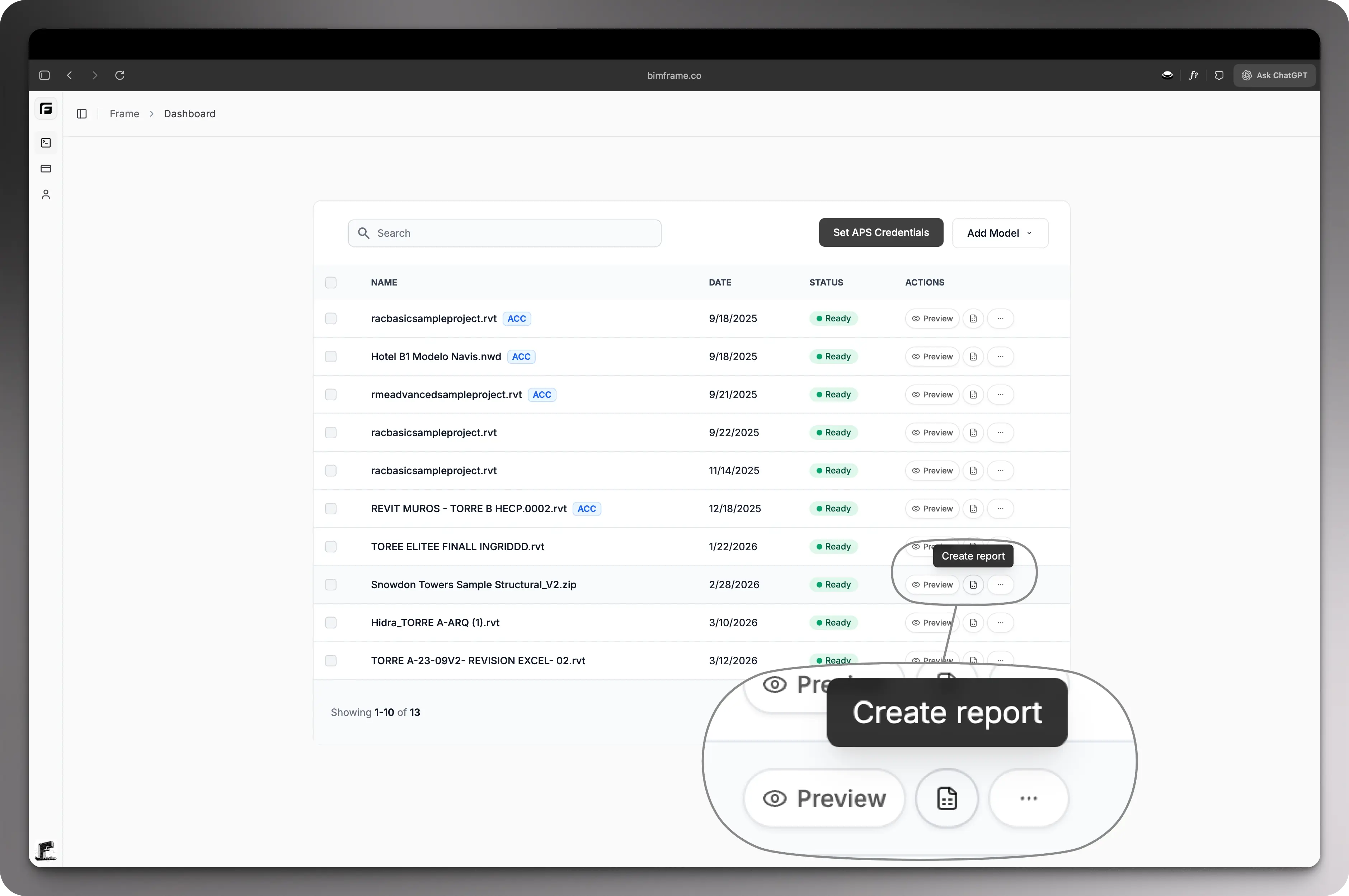
Section titled “Report creation flow”- Open the processed model in the dashboard.
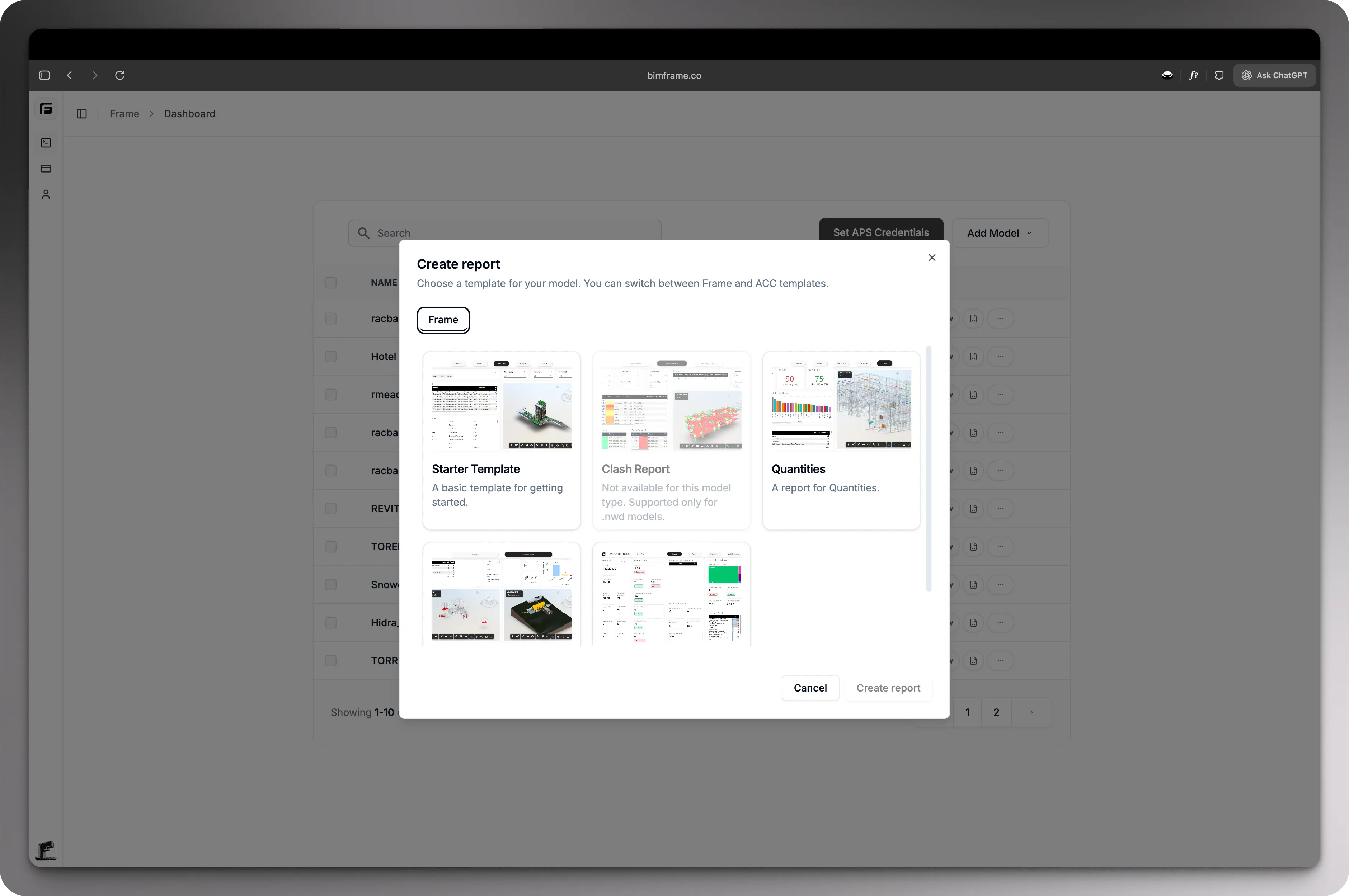
- Choose Report.
- Select the workflow or template that matches your analysis goal.
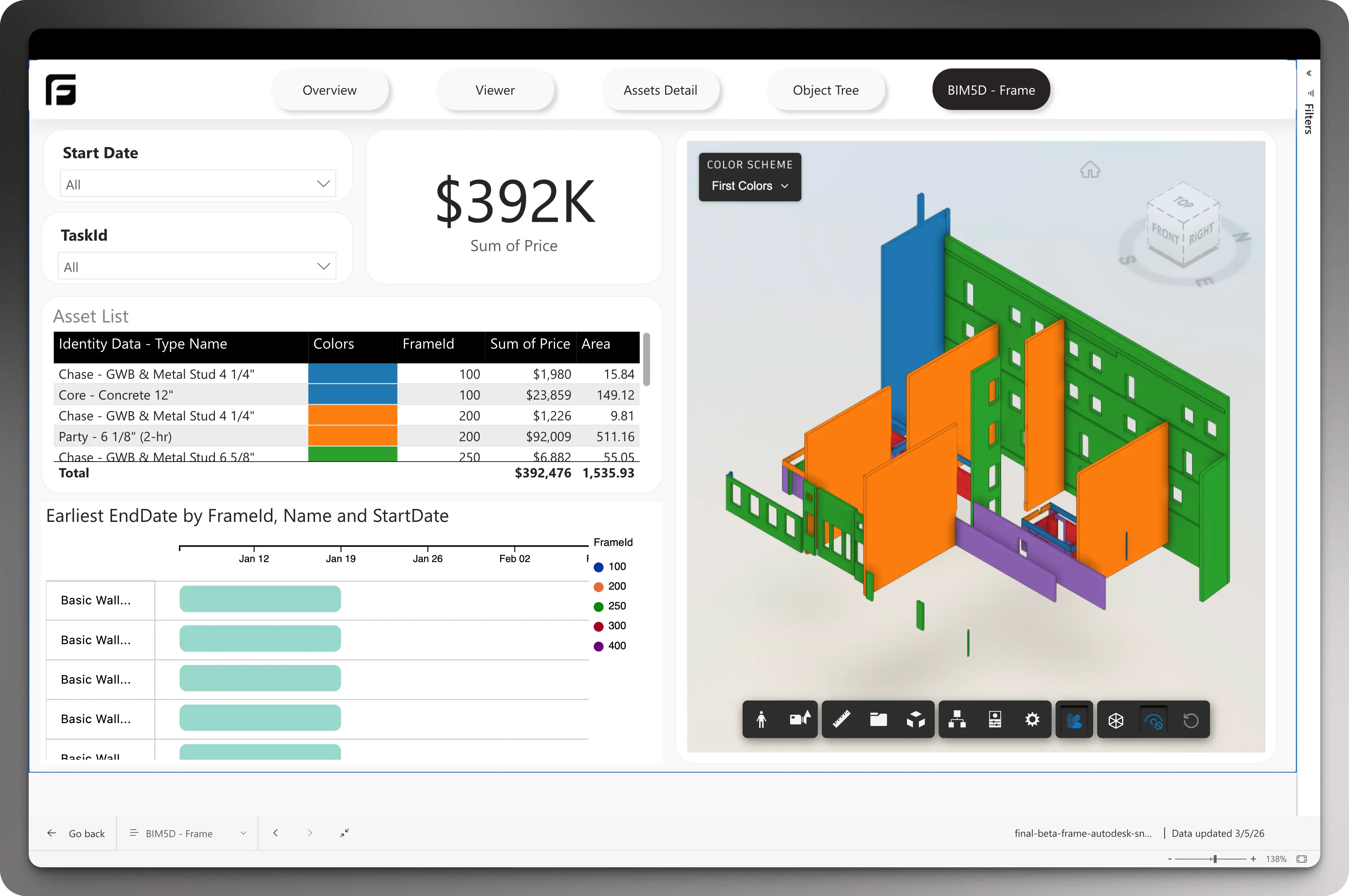
- Download the generated report package or template.
What to choose next
Section titled “What to choose next”- If you are heading into Power BI, continue to Power BI.
- If you are building spreadsheets first, continue to Excel Add-In.