
Viewer and markups
Open the model in the viewer
Section titled “Open the model in the viewer”After a model reaches Ready, open it from the dashboard and review it in the Frame viewer.
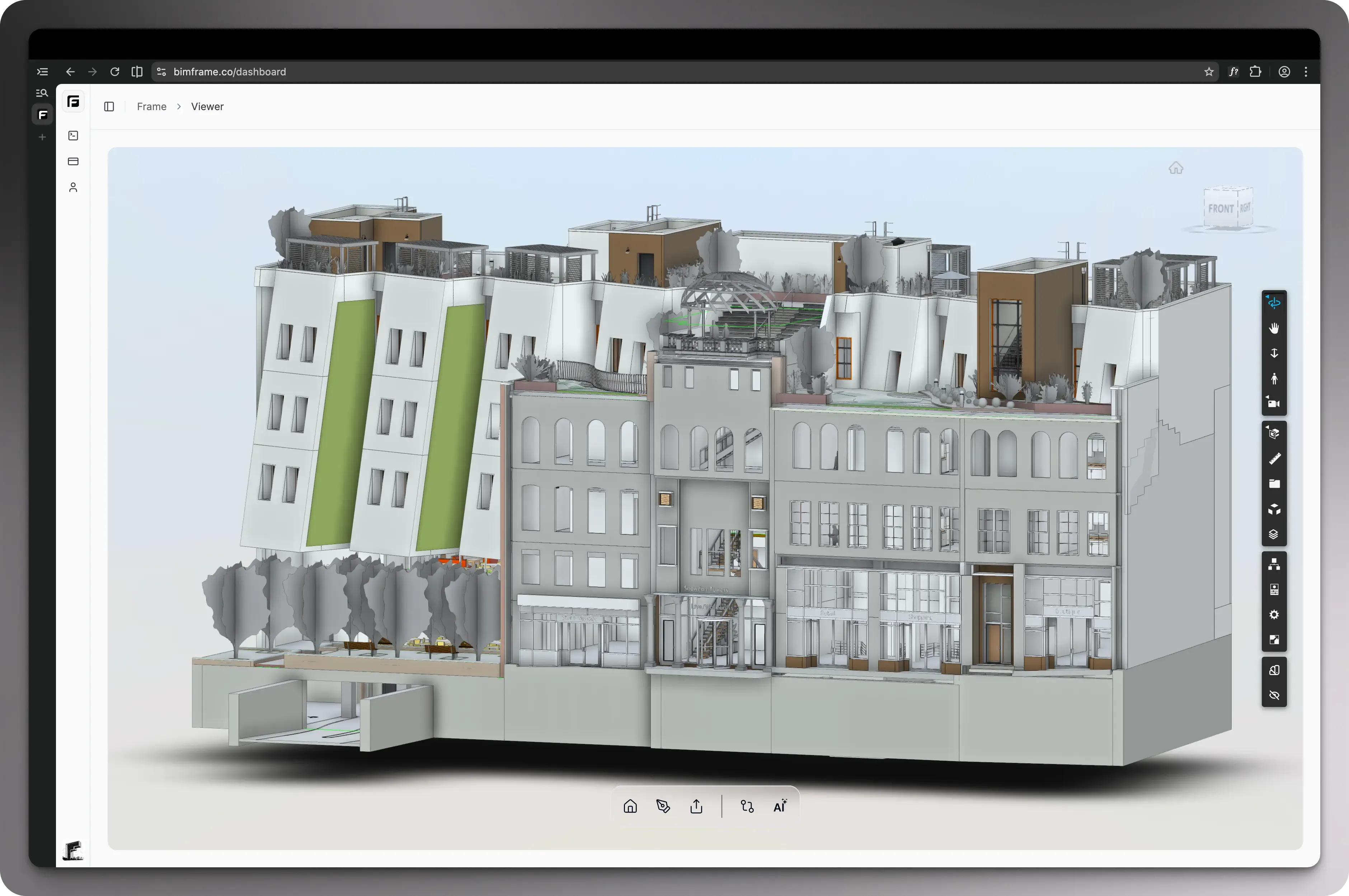
The viewer is useful before any reporting workflow because it lets you verify the model context directly:
- navigate the model in 3D
- inspect properties, categories, and geometry
- apply quick color views
- share model views with collaborators
Navigate the model in 3D
Section titled “Navigate the model in 3D”Frame is built on top of the Autodesk Viewer, so you get the standard 3D navigation patterns teams already expect. You can move through the model, orbit around it, and inspect the project from the angles you need for review.
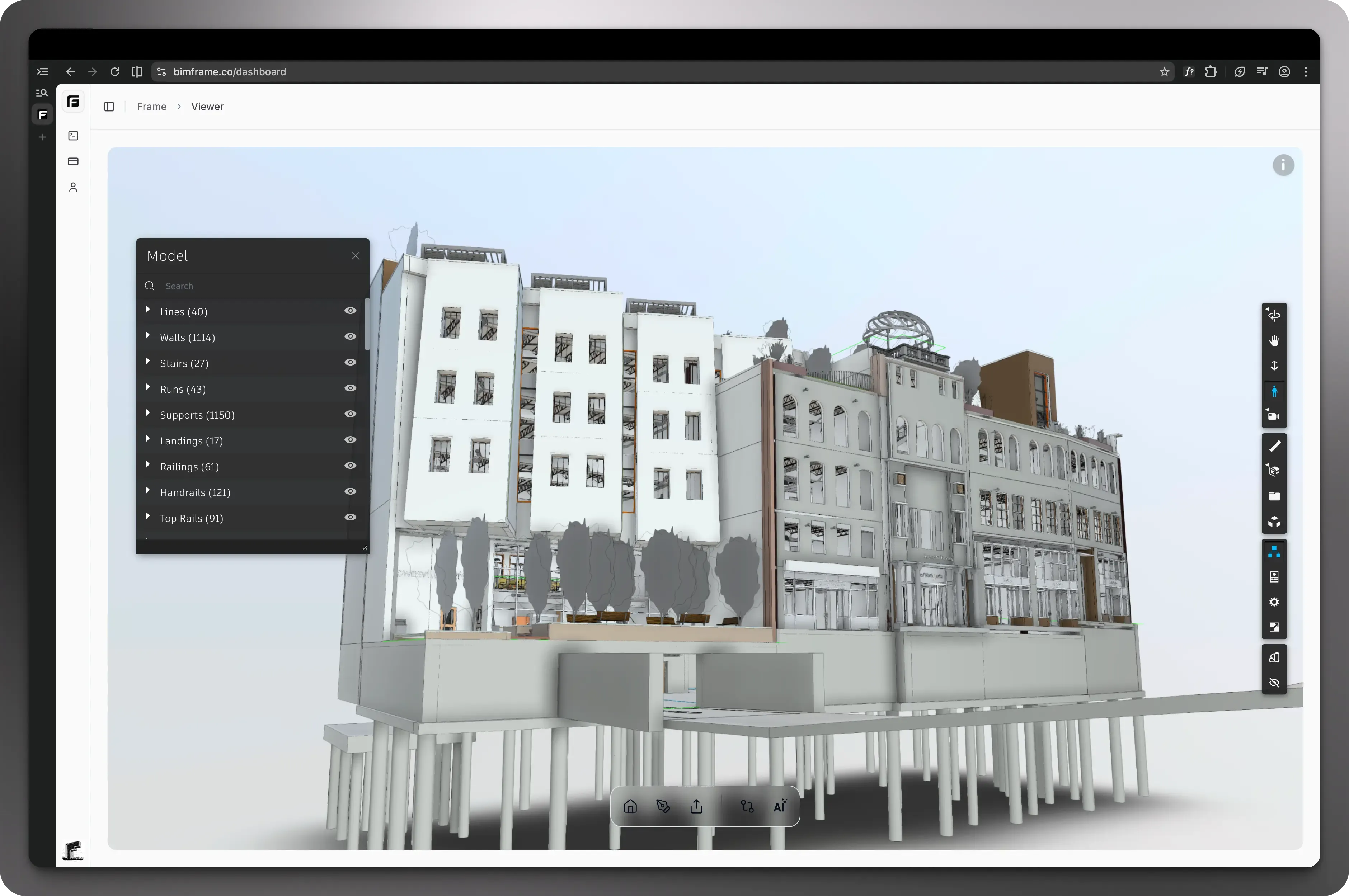
Inspector: properties, categories, and geometry
Section titled “Inspector: properties, categories, and geometry”The inspector builds on the usual Autodesk Viewer behavior and lets you inspect elements directly in context. You can review property values, categories, families, and geometry to understand exactly what you are looking at in the model.
Apply quick color views
Section titled “Apply quick color views”Quick color inspection is one of Frame’s custom viewer extensions. It lets you color-code the model by nearly any property or by file, which makes it easier for teams to isolate scope, compare values, and review the model visually.
Share model views with collaborators
Section titled “Share model views with collaborators”Frame also extends the viewer with collaboration tools. You can share a saved model view so teammates open the same context you are reviewing, and those shared views can also support markup workflows with other team members.
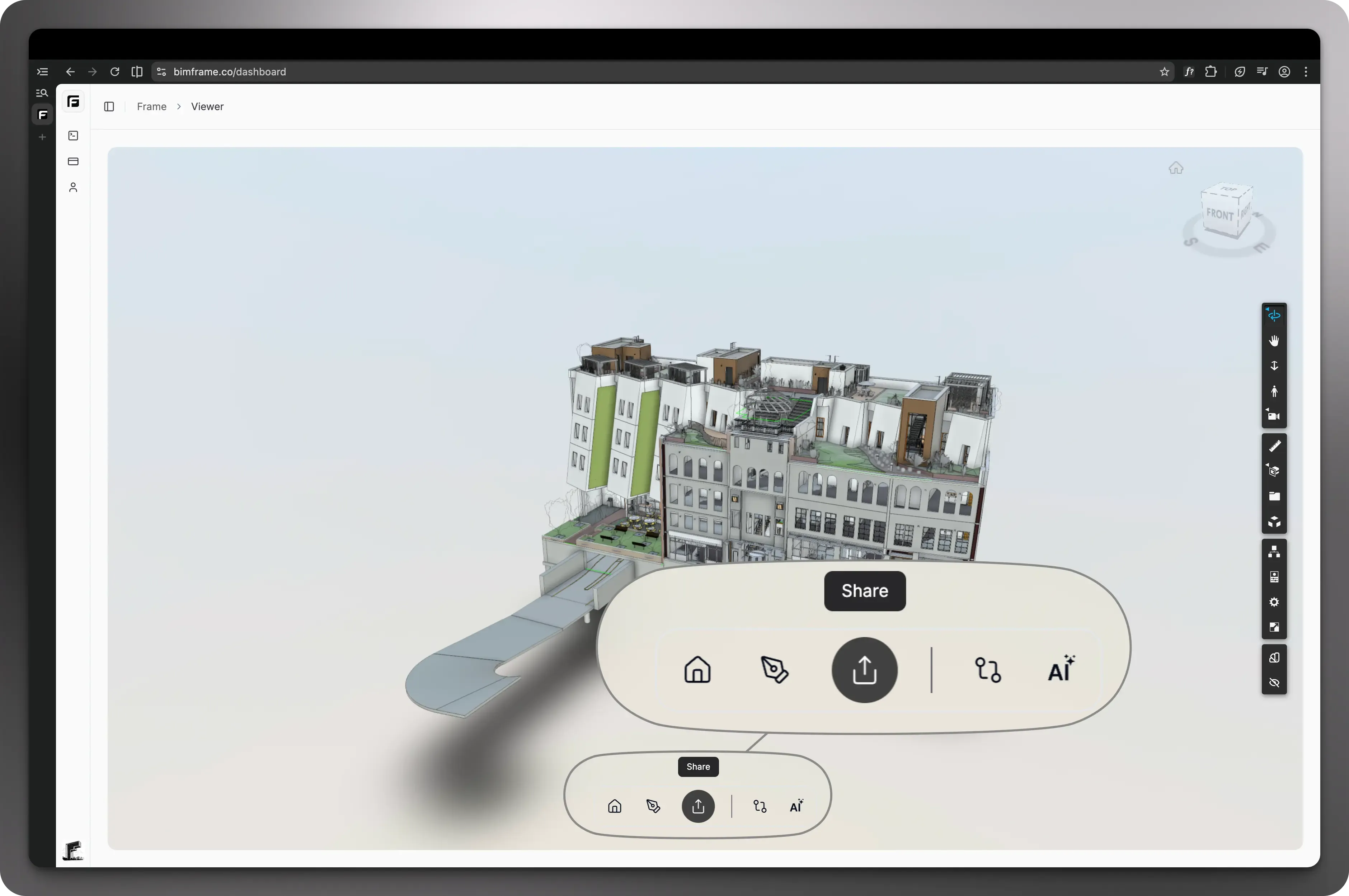
Markups
Section titled “Markups”Markups let you annotate what you are seeing in the model and keep review conversations tied to geometry. These can be used to capture comments now and shared with colleagues as part of your review workflow.
Common uses:
- design review comments
- coordination notes
- issue tracking before formal reports
- visual handoff to other team members
Why this matters before reporting
Section titled “Why this matters before reporting”The viewer helps you validate what the data represents before exporting it into Power BI or Excel. That reduces the chance of building a report from the wrong subset of elements or from a model that still needs review.
Continue from here
Section titled “Continue from here”- For report creation, continue to Create your first report.
- For spreadsheet workflows, continue to Excel Add-In.
Video placeholder: the original viewer and markups walkthrough clips were referenced as attachments in the source notes but did not have reusable URLs.