
Power BI authentication
Authentication reference
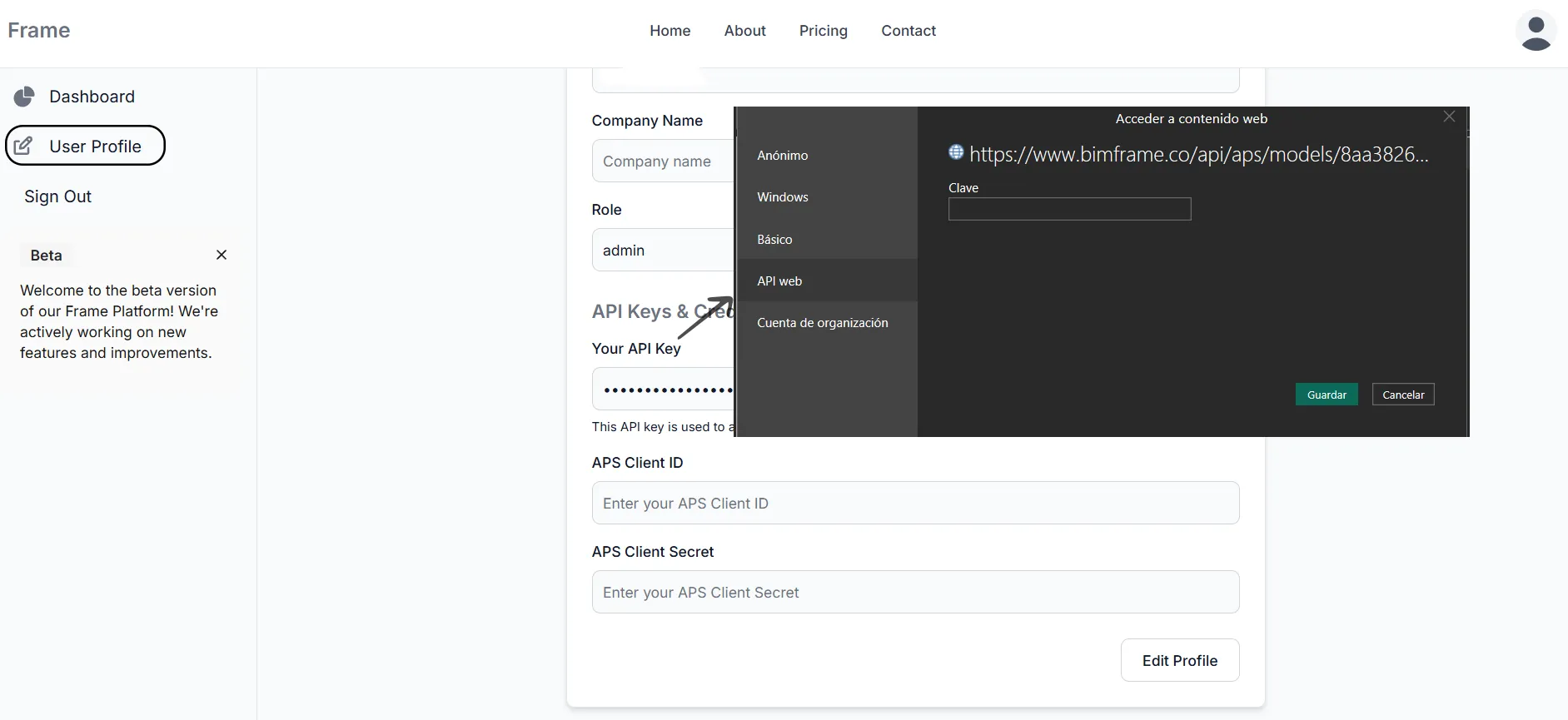
Section titled “Authentication reference”When Power BI asks for credentials for a Frame-generated report:
- Open your downloaded
.pbixor.pbitfile in Power BI Desktop. - Open User Profile in the Frame web dashboard.
- Copy the API Key.
- Paste it into the Web API key field in the Power BI authentication dialog.
- Confirm the dialog and let the report load.
- This prompt usually appears only the first time on a device.
- The API key comes from your Frame account, not from Autodesk or Microsoft.
- Use this page as the stable reference from workflow pages instead of copying the instructions everywhere.