
Authenticate a report
When authentication happens
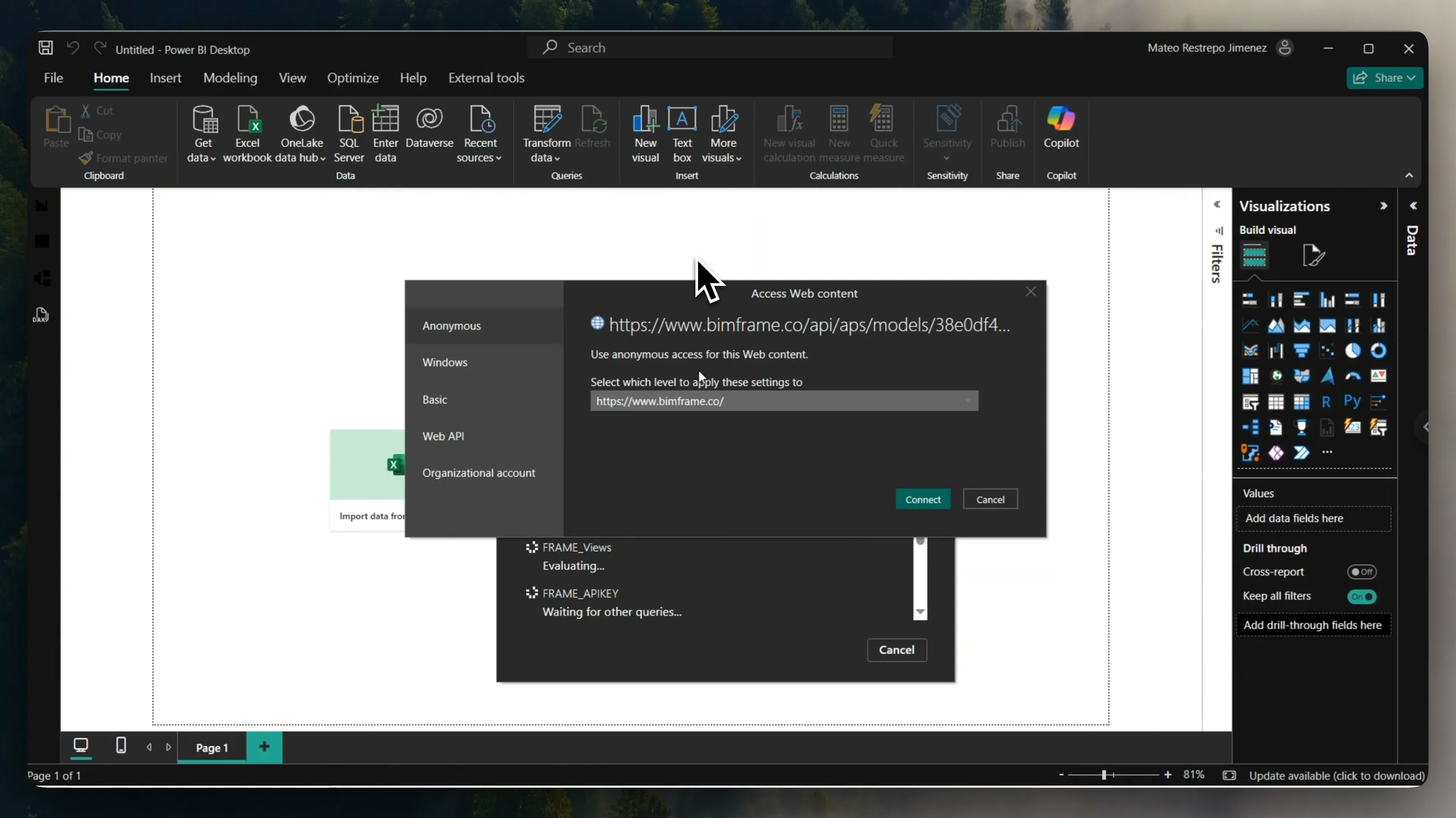
Section titled “When authentication happens”When you open a Power BI report generated with Frame for the first time on a device, Power BI may ask for authentication credentials before it loads the data.
This is an additional security layer that ensures only authorized users can access report data connected to your workspace.
Authentication steps
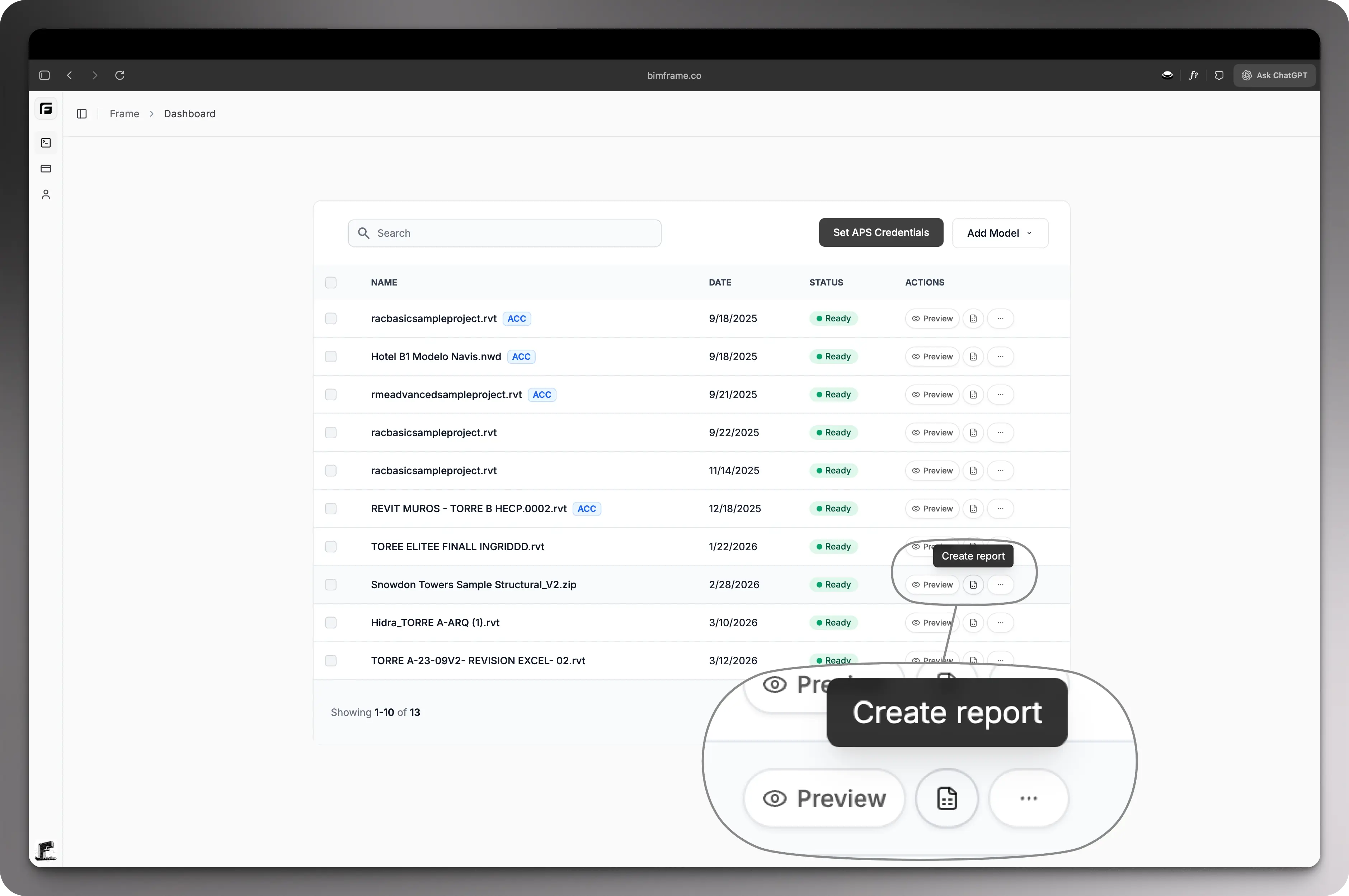
Section titled “Authentication steps”- Download your report or template from the Frame dashboard.
- Open the
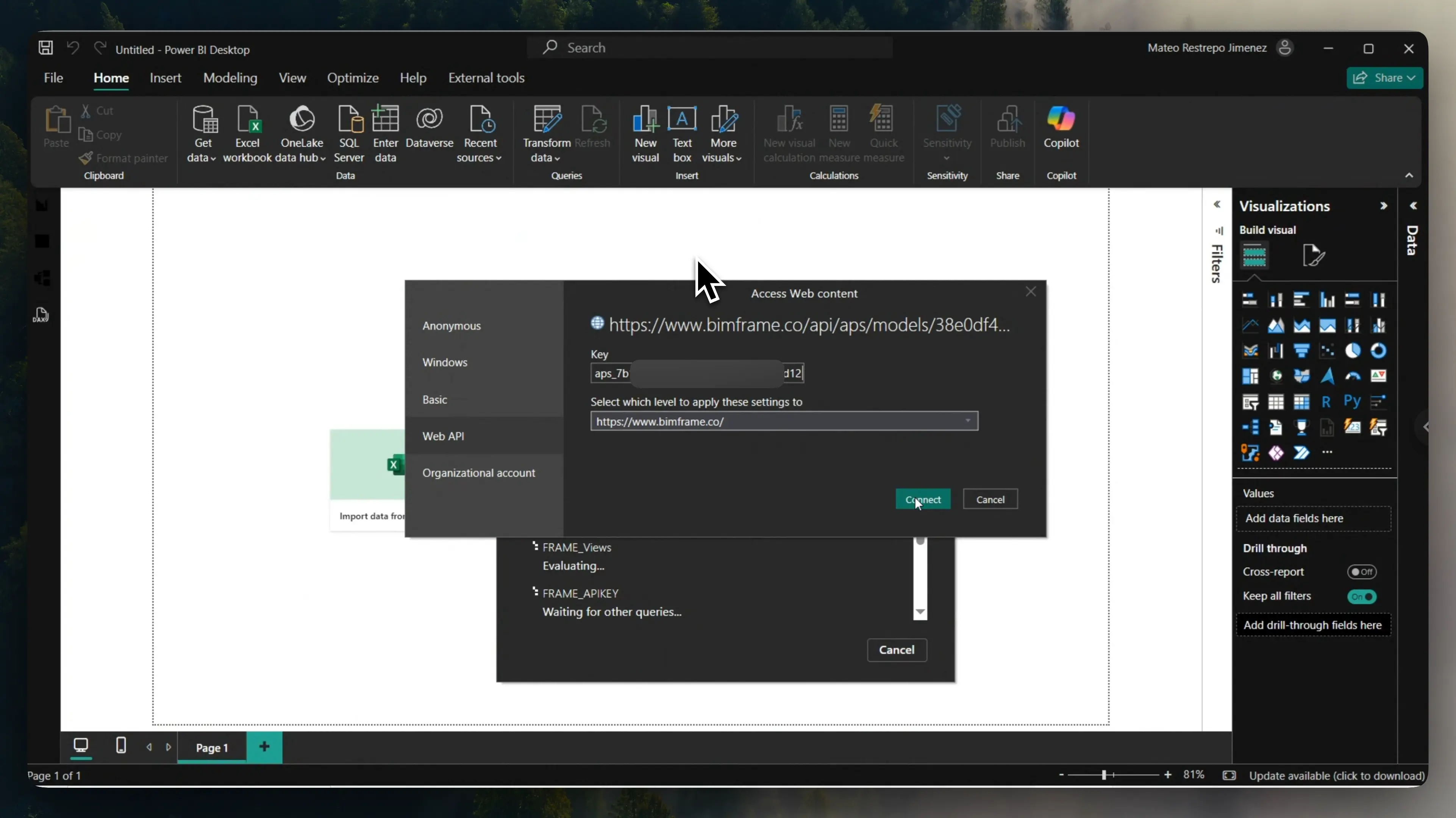
.pbixor.pbitfile in Power BI Desktop. - Wait for the authentication dialog to appear.
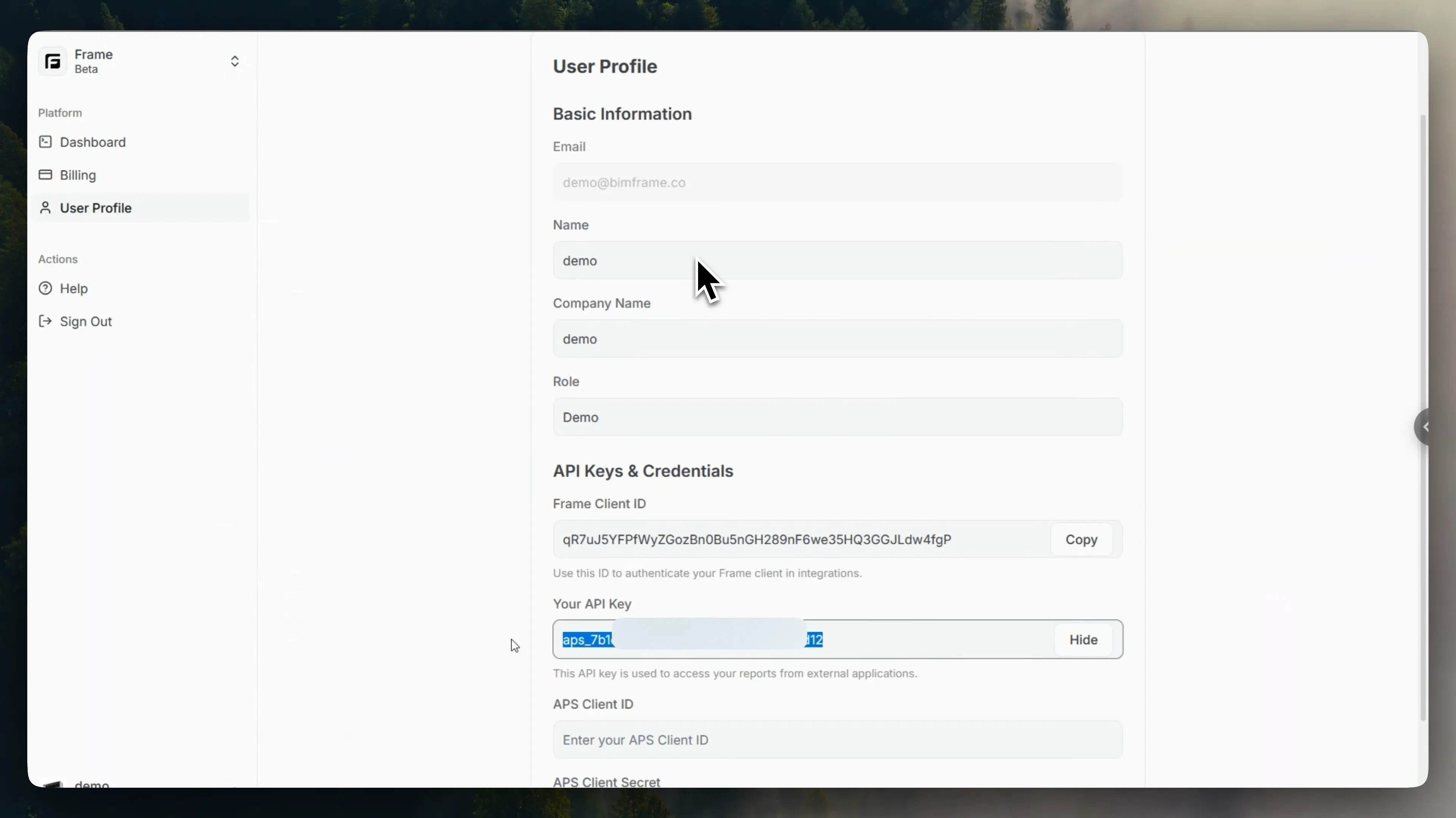
- In your Frame web dashboard, open User Profile.
- Copy your API Key.
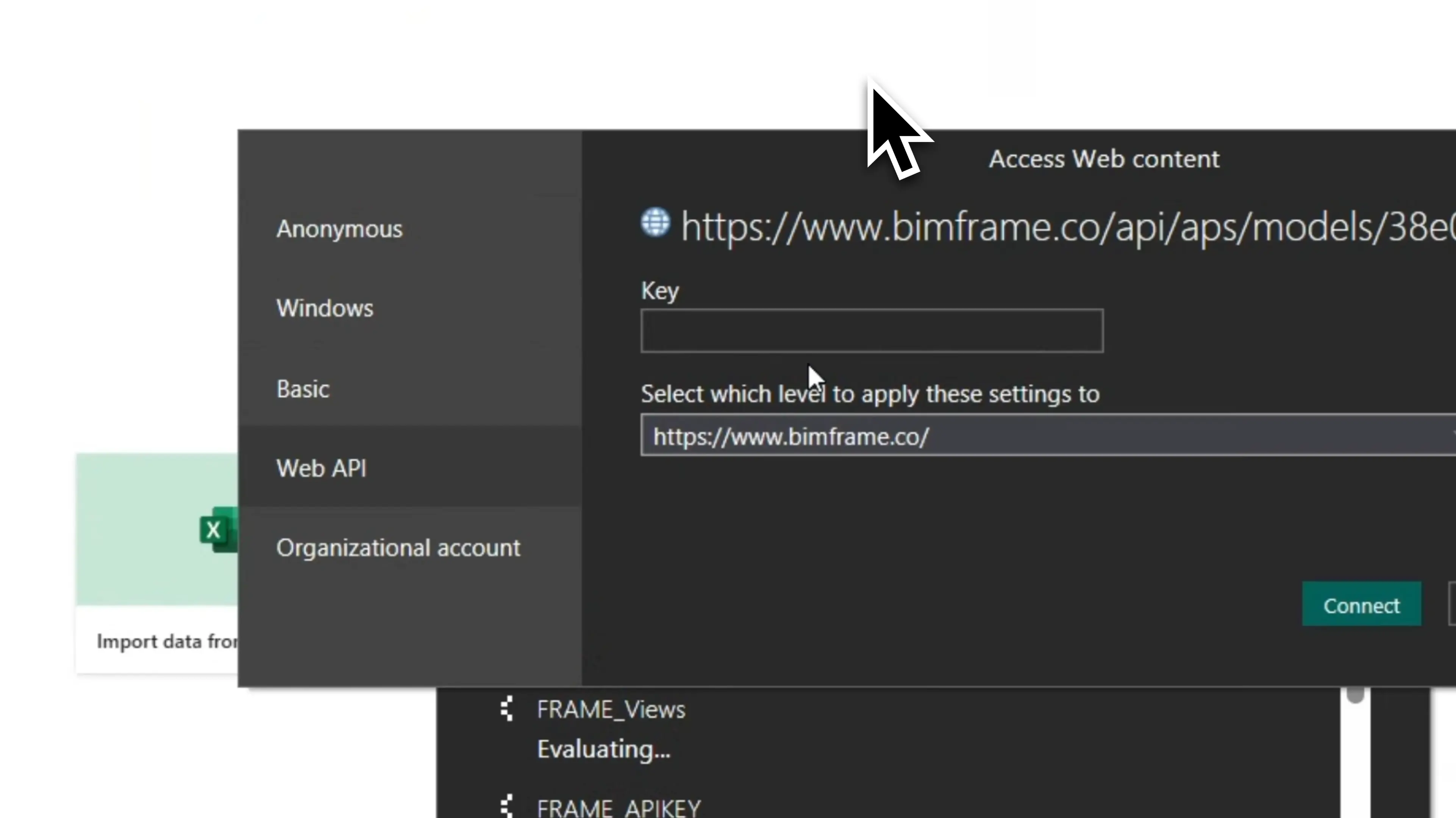
- In Power BI, paste that value into the Web API key field.
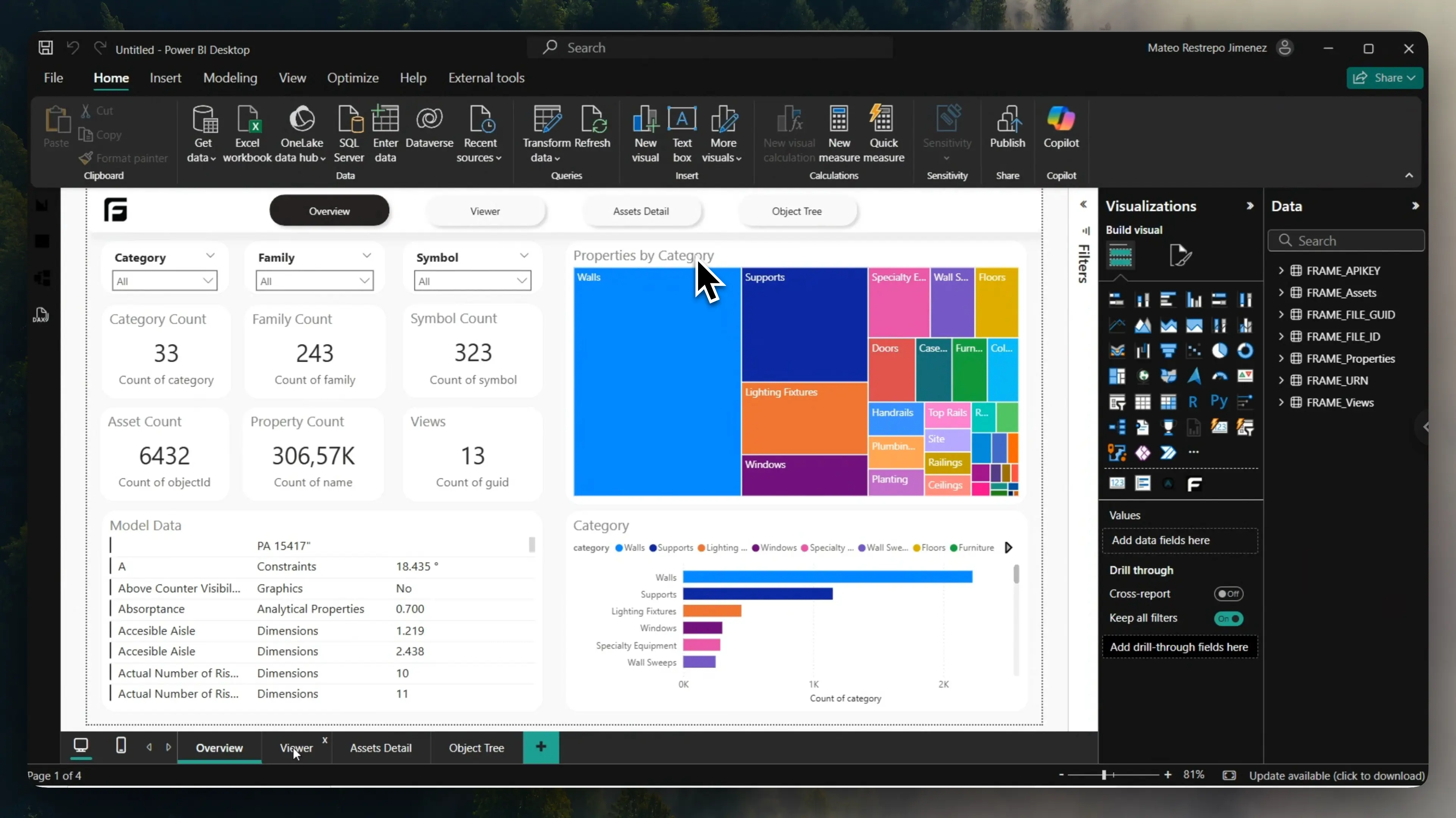
- Confirm and let the report finish loading.
What to expect after the first authentication
Section titled “What to expect after the first authentication”In most cases, this prompt appears only once per device. Future Frame-generated reports opened on the same computer usually reuse the saved authentication context.
Related reference
Section titled “Related reference”For the stable version of these steps, see Power BI authentication reference.
Next step
Section titled “Next step”If you still need to decide which report to create, continue to Choose a template.