
File Version template
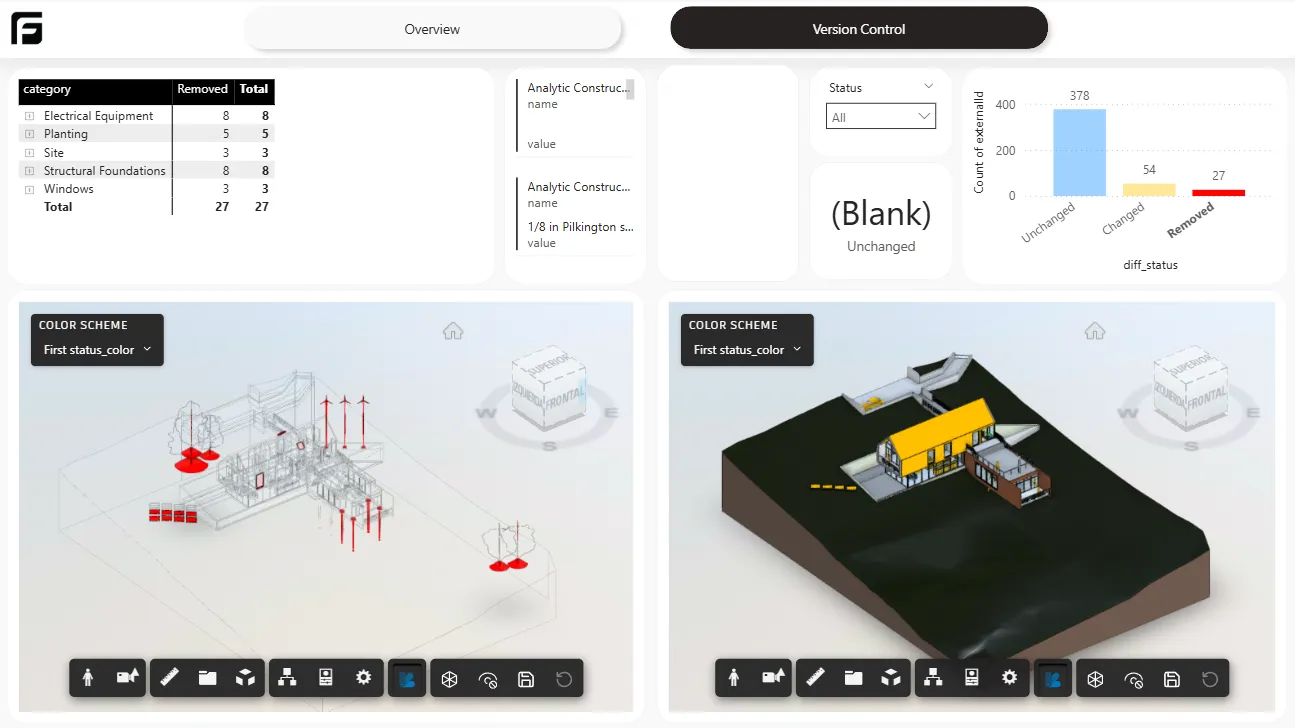
When to use File Version
Section titled “When to use File Version”Use File Version when you need to compare two versions of the same model and understand what changed between them.
Before you create the report
Section titled “Before you create the report”This template only works when the two versions of the same model are available in two different slots in the Frame dashboard.
Create the report
Section titled “Create the report”- Select Report.
- Choose the File Version template.
- Select the versions you want to compare.
- Generate and open the report in Power BI Desktop.
Report pages
Section titled “Report pages”The report includes two main pages:
- Summary: properties, elements, and quantities for each model.
- Differences: added elements, unchanged elements, and elements with modified properties.
The 3D viewers also use colors to show the modified characteristics.
What this template is for
Section titled “What this template is for”- revision comparison
- version tracking
- change review across two model states
Next step
Section titled “Next step”For the full catalog, see Power BI templates.